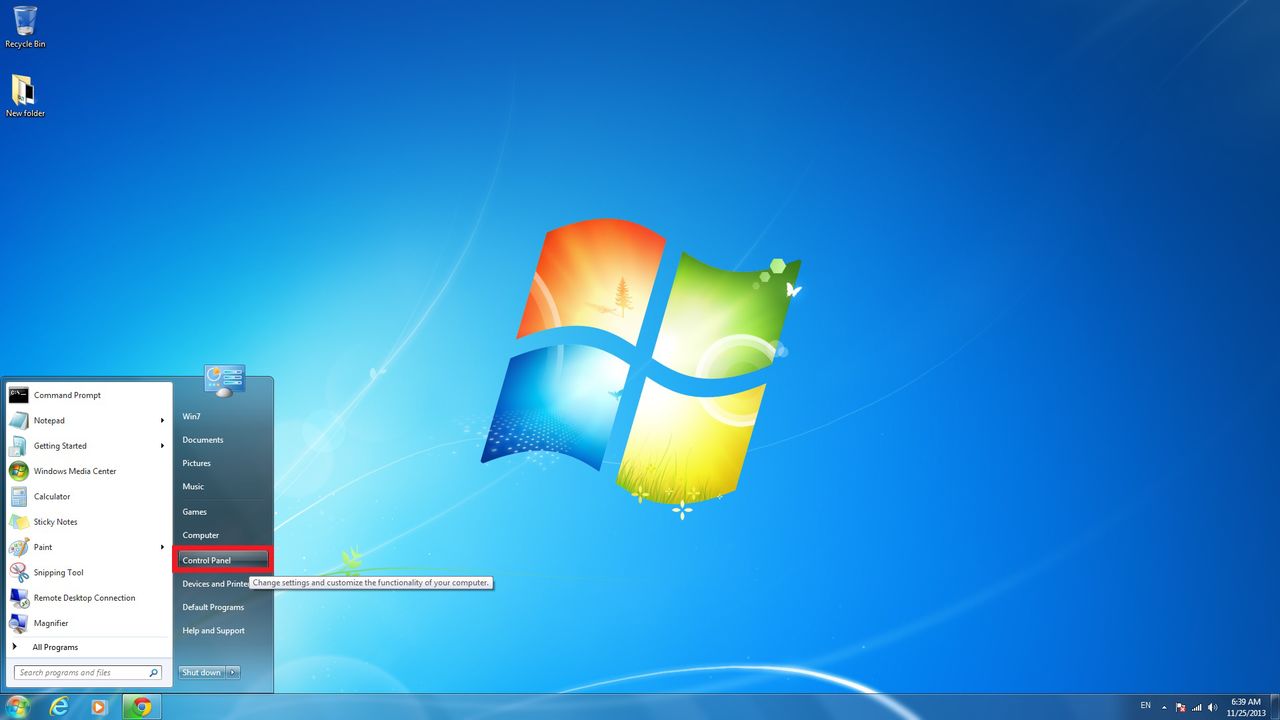
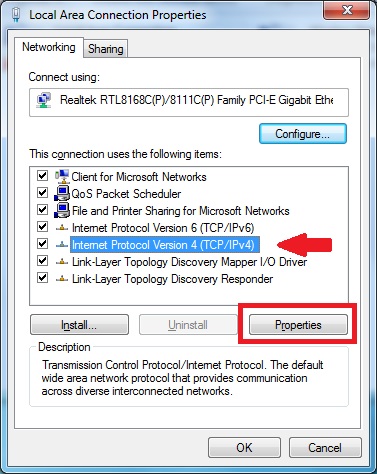
Start Button >>
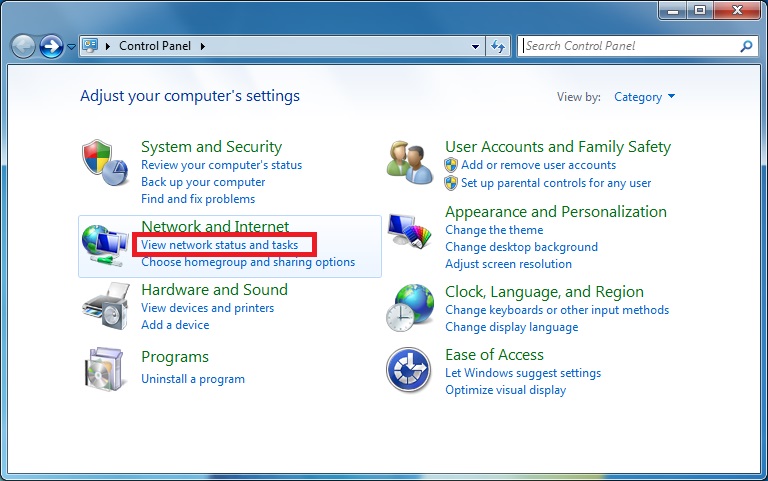
Control Panel >> Network and Internet (View
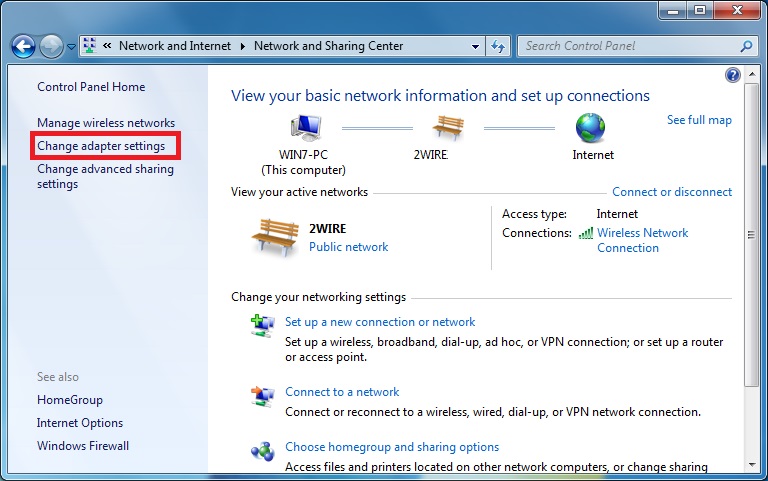
network status and tasks) >> Change adapter
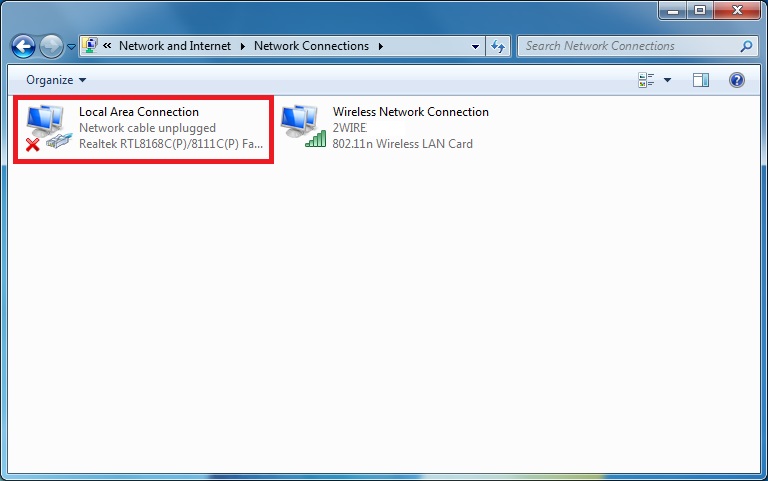
setting >> Local Area Connection (Double Click)
>> Internet Protocol Version 4 (TCP/IPv4) then Click on
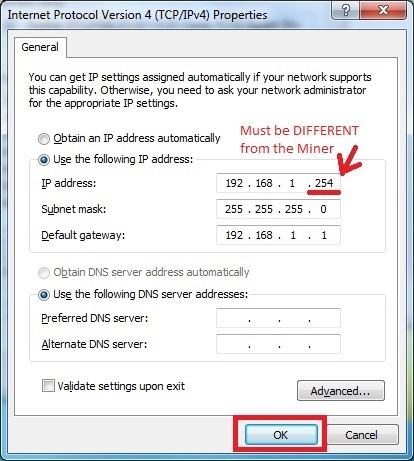
Properties >> "Use the following IP address" Remember the original settings, and change
it to:
IP Address: 192.168.1.250
Subnet: 255.255.255.0
Default Gateway: 192.168.1.1